
Ventrilo Viewer on Guild PortalLogin to your GuilPortal control panel and click the "Site Pages" link on the left side menu.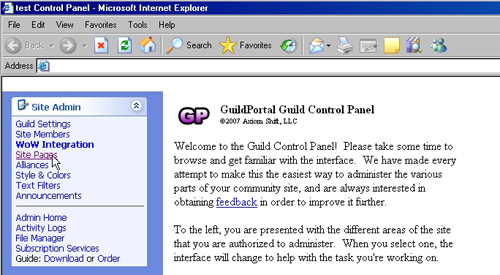 On the right side, click content beside the home section. 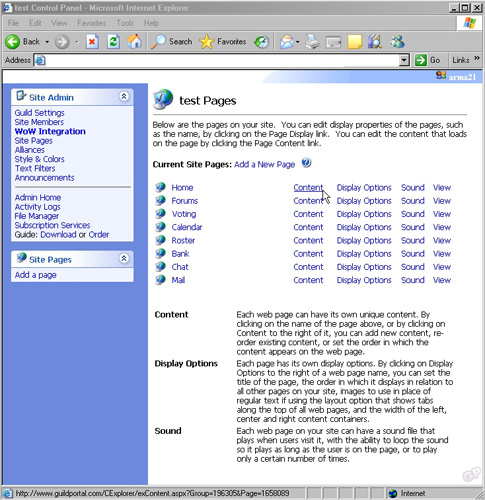 On the top, click "Add Content" 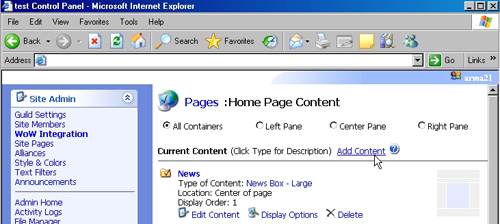 In the add content window choose the content type "Free Form Text/HTML". 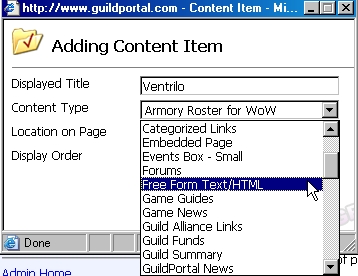 Now you should see your new content in the list, click Edit content under it. 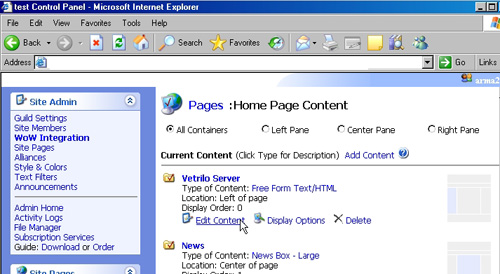 In the edit window, click the code view on the bottom left. 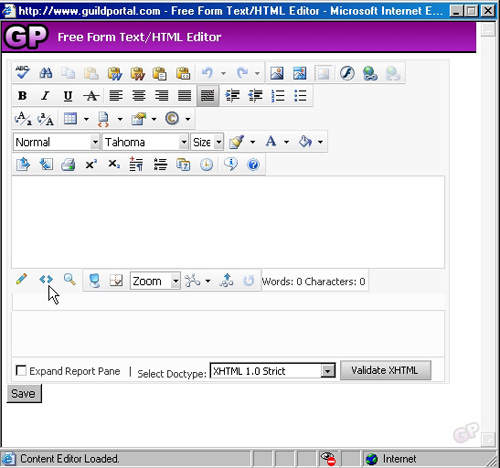 In the code view editor, paste the ventrilo code provided by our web page. it should look like the following image. Click Save. 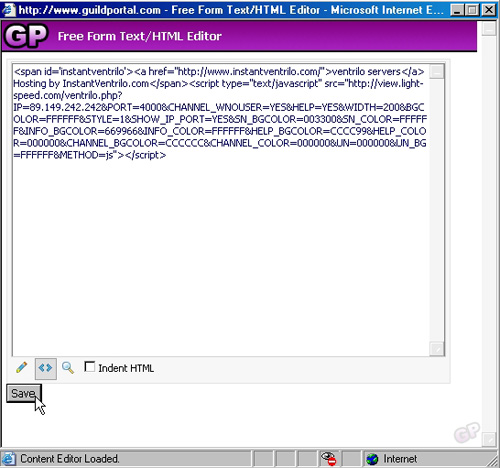 Now If you go to your guild portal site, the ventrilo viewer will be displayed. Still stuck? Open a trouble ticket at https://cp.light-speed.com/trouble-tickets.php or see all Ventrilo Server guides. |
© Copyright 2004-2026 LightSpeed Gaming LLC
Ventrilo is a Trademark of LightSpeed Gaming LLC.
Try GameVox — next-gen voice chat for gamers (open beta)