How to set your ventrilo server to accept only registered users

Setting your Ventrilo server to accept only registered users allows you to choose exactly who can and can't join your server. You will have to set a username and password for each person before they are able to join.
  1. Before setting your ventrilo to accept only registered users you will have to set a user for yourself or you will not be able to join.

  2. Assign yourself a username / password to join with in the Ventrilo User Editor.(How to add a user in the Ventrilo user editor)

  3. Once your user is added, login to our website control panel.

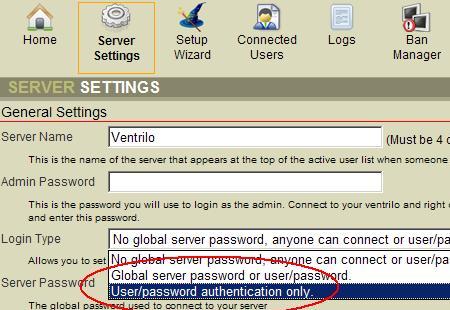
  4. Click "Server settings" on the top menu. Once that page loads, on the server setting page from the drop-down box next to "Login Type" select the "Specific user/password authentication" then click "Save and restart" on the bottom of the page.

Still stuck? Open a trouble ticket at https://cp.light-speed.com/trouble-tickets.php or see all Ventrilo Server guides.

© Copyright 2004-2026 LightSpeed Gaming LLC
Ventrilo is a Trademark of LightSpeed Gaming LLC.

Try GameVox — next-gen voice chat for gamers (open beta)