How to add and remove bans from Ventrilo

  1. Login to your control panel and go to the manage section of your server (How to manage my server)
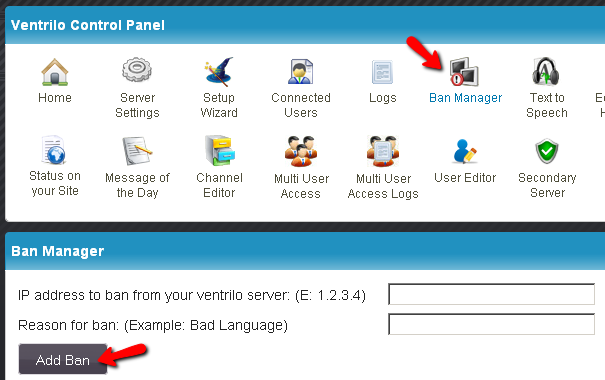
  2. Click on "Ban Manager" on the top of the page then type in thier IP address and the reason for thier ban. Then click on the "Add Ban" button.

    control panel add ban
  3. To remove a ban simply just click on the "Unban" button next to the correct IP Address that you want unbanned.

    control panel remove ban

Still stuck? Open a trouble ticket at https://cp.light-speed.com/trouble-tickets.php or see all Ventrilo Server guides.

© Copyright 2004-2026 LightSpeed Gaming LLC
Ventrilo is a Trademark of LightSpeed Gaming LLC.

Try GameVox — next-gen voice chat for gamers (open beta)