Ventrilo - Fixing Windows 7 Sound Lag Issues

This guide is the current fix for people that have issues with sound delays while running the Windows 7 operating system.
  1. Open the Ventrilo program.
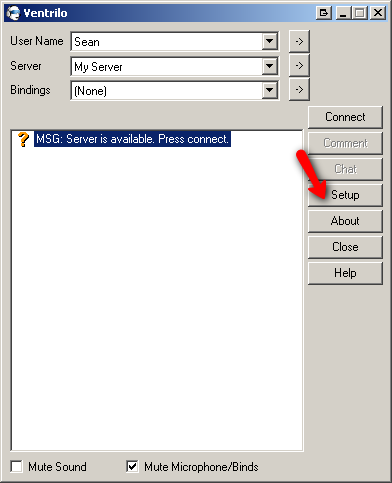
  2. Click the "Setup" button
    Ventrilo Setup Button

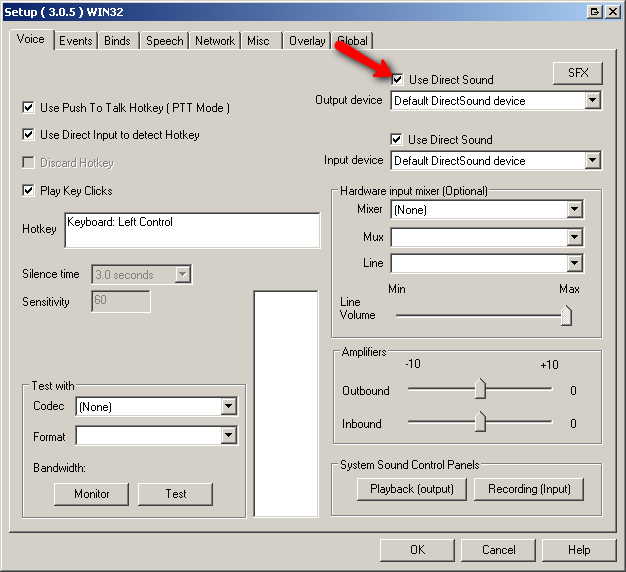
  3. Check the "Use Direct Sound" for the "Output Device"
    Ventrilo use direct sound voice

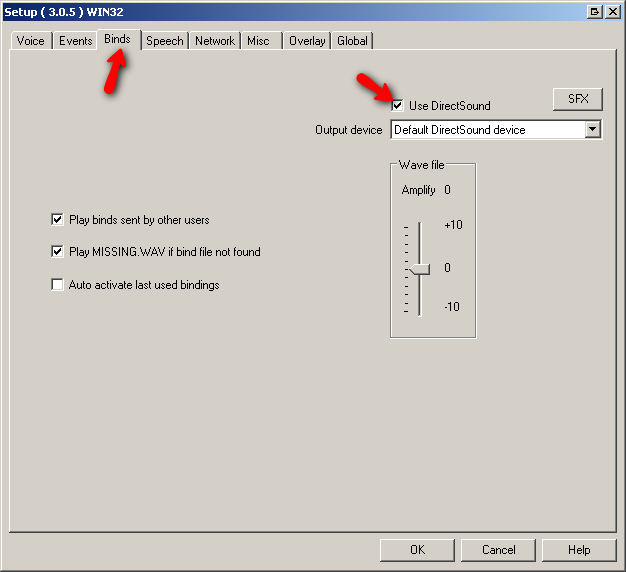
  4. Click the "Binds" tab at the top of the window. Next check the "Use Direct Sound" for the "Output Device"
    Ventrilo use direct sound binds

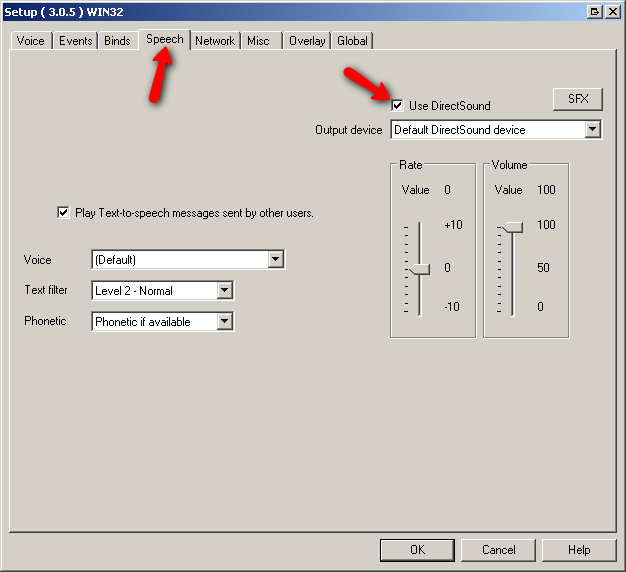
  5. Click the "Speech" tab at the top of the window. Next check the "Use Direct Sound" for the "Output Device"
    Ventrilo use direct sound speech

Still stuck? Open a trouble ticket at https://cp.light-speed.com/trouble-tickets.php or see all Ventrilo Server guides.

© Copyright 2004-2026 LightSpeed Gaming LLC
Ventrilo is a Trademark of LightSpeed Gaming LLC.

Try GameVox — next-gen voice chat for gamers (open beta)